 Skip to main content

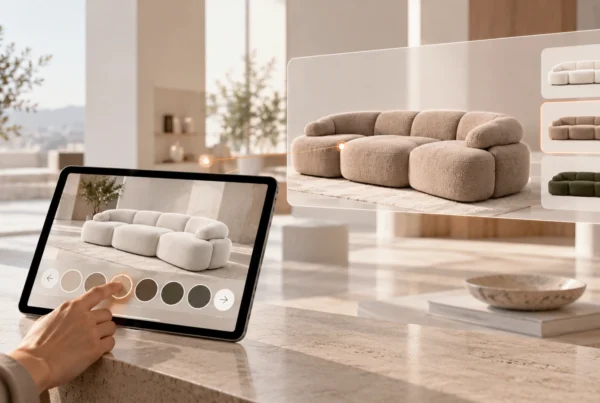
Quick answer: AI room planning means customers upload a photo of their room, the AI recommends matching products from your range and shows them realistically in that room photo. We launched Mazing in 2020 with 3D and augmented reality (AR). Today we focus on AI room planning, because it works from a product image, suggests products itself and works online as well as in the furniture store. AR remains useful for 3D viewing and placing a product in your own room.
What is AI room planning?
AI room planning (also AI room visualization) is a form of digital interior consulting: an AI analyses a room photo, recognises perspective and lighting and integrates furniture realistically into the scene. With Mazing’s AI Room Designer, recommendations are based on your connected range and its product information, so customers can select and buy the suggested items directly.

Our story: from 3D and AR to AI room planning
Mazing didn’t emerge from a theoretical AI concept, but rather from our day-to-day work with product data, product images, and digital sales processes.
- 2017: Started out in our own e-commerce and retail business. First experience with product data, online shops, product images and digital sales processes.
- 2020: Mazing launched at the height of Covid. Focus on digital product visualization, 3D and AR for e-commerce.
- 2024: Modus Furniture joins as a strategic investor. An even stronger focus on the furniture industry, enterprise customers and scalable solutions.
- 2025: The platform expands with AI product images, content workflows and deeper integrations for furniture manufacturers and retailers.
- 2026: Mazing is the AI content platform for furniture manufacturers and retailers.
Our platform used to be called MAZINGXR, and the press knew us as a Viennese AR startup. Today, MAZING World brings both together: software for visualising 3D models on websites and in augmented reality, and functions for creating digital content with artificial intelligence.
What AR solved, and where it hits its limits
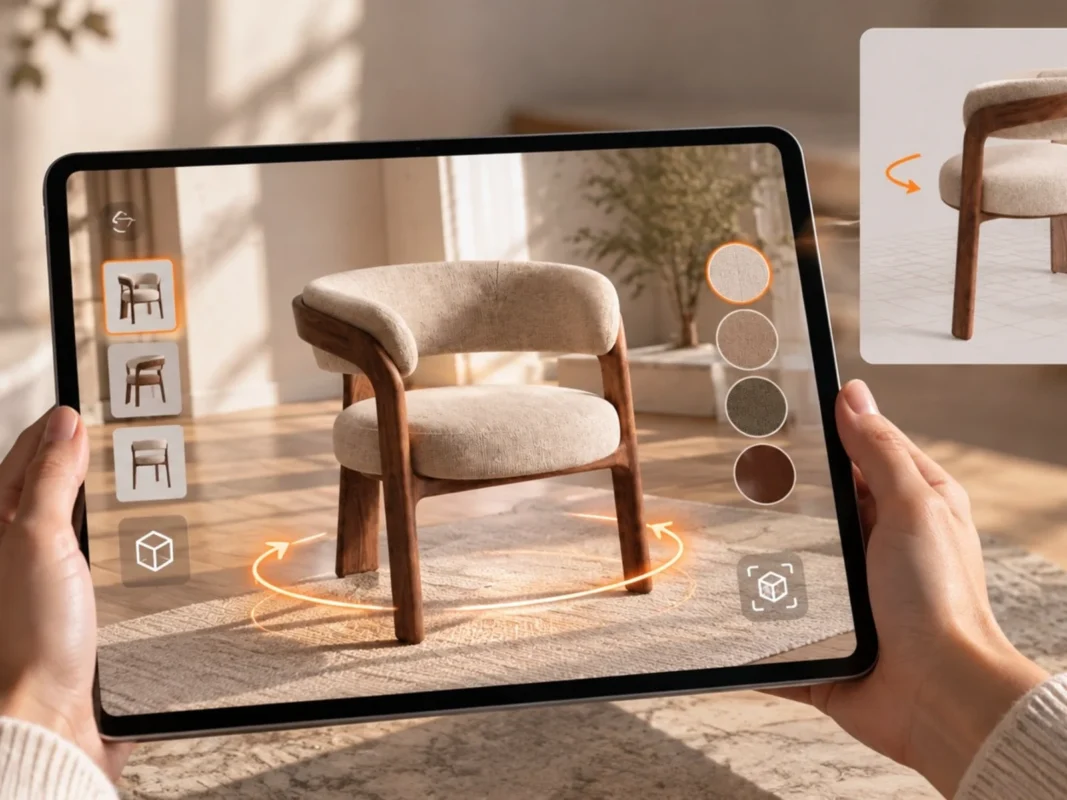
AR solved a real problem: customers see a product in their own room before they buy. With Web AR this works without an app. On desktop, a QR code leads to the smartphone, where customers place the product in their own room. Modus Furniture, for example, uses AR at trade fairs and saves floor space and showrooms.
In the day-to-day work of furniture retailers, AR also has limits:
- A 3D model per product: AR needs a 3D model for every product and variant. For large ranges, that takes effort.
- Camera and room: customers have to use a smartphone or tablet and be in the room they want to furnish.
- Customers choose first: AR shows what the customer has already picked. It does not suggest a matching interior.
What AI room planning does differently

Image generated with Mazing
AI room planning turns the process around: instead of the customer finding a product and checking it in the room, the room is the starting point.
- A room photo instead of a camera session: upload a room photo, get recommendations, add to cart. Existing room photos can be used as a basis.
- Recommendations from your range: the AI recommends products from your range and shows them in your customers’ homes.
- No 3D model needed: a product image, room photo or 3D model is enough as input.
- Complete interiors: several pieces of furniture and home accessories can be shown together in one room scene.
- Online and in store: online, the AI Room Designer supports independent product selection. In the furniture store, it complements personal advice.
- Straight to the cart: with the corresponding shop integration, the selected items are passed to the cart.
Important: the visualization shows the effect of an interior. Dimensions, clearances and technical requirements are checked against the product data and the actual room measurements.
Try AI room planning with your own products
AR vs. AI room planning compared
| Augmented reality (AR) | AI room planning | |
|---|---|---|
| Input | A 3D model per product | Product image, room photo or 3D model |
| What customers see | The chosen product live via camera in their own room | An interior suggestion in their own room photo |
| Product selection | The customer chooses first | The AI recommends products from your range |
| Several products | Depending on the solution | Sofa, table, rug, decor and art together |
| Where it is used | Product page, via QR code on the smartphone | Webshop, in-store advice, online consulting, B2B presentations |
| Strength | 3D view and size in the real room | Inspiration, combinations and advice |
Why AR stays
We did not drop AR, we gave it a new role. AI room planning still includes an AR preview, so customers can view products in their own room when needed. For products with a 3D model, Web AR and the 3D viewer on the product page remain useful. We create those 3D models with AI from existing product photos (AI 3D models).
What this means for furniture retailers
- Start with advice: AI room planning turns “I need to picture this at home” into a decision, online and in store.
- Connect your range: recommendations are based on your products, prices and sales channels.
- Use AR where it counts: where 3D models exist and size in the real room is decisive.
- One platform: AI room planning, AI product images, 3D and AR run on the same platform.
Customer examples
Modus Furniture: Modus uses Mazing’s AR solutions at trade fairs and events. Today the company says: Mazing delivered both 3D/AR and AI image series for us, creating a very strong overall workflow.
(Jackie Enghof, CEO Modus Furniture Europe)
Ehrmann: switched its workflow from CGI to AI images and creates lifestyle images and photos with dimensions in batch processing. (Case study)
Puris Badmöbel: from CGI to AI product images in self service. (Case study)
FAQ: AI room planning and AR
What is AI room planning?
AI room planning is digital interior consulting based on a room photo: customers upload a photo of their room, the AI recommends matching products from the range and shows them realistically in the room. It works online and in in-store consultations.
Is AR still useful for furniture?
Yes. AR is well suited to seeing a specific product in 3D and at true size in your own room. With Web AR this works without an app, via QR code from desktop to smartphone. AI room planning adds recommendations and complete interior suggestions to AR.
Do I need 3D models for AI room planning?
No. A product image, room photo or 3D model is enough as input. AR, by contrast, needs a 3D model per product.
Is an AI room visualization an exact room plan?
The visualization shows the effect of an interior. Dimensions, clearances and technical requirements are checked against the product data and the actual room measurements.
Are room photos used for AI training?
No. Room photos and product data are not used to train AI models. Storage, access and deletion follow the agreed data protection terms.