 Skip to main content

Organize AI images, 3D assets, variants, approvals and exports in one place.
Digital Asset Management for Furniture
Visual Content Management for Furniture Brands

The Problem
The more content you create, the more structure matters.
As the number of product images, 3D assets and AI-generated variants grows, structured management becomes a key success factor. Without clear processes, you end up with media breaks, duplicate work and unnecessary complexity.

Scattered Assets
Images, 3D files and variants are scattered across folders, DAM, PIM and agency tools.

Versions Get Out of Hand
Versions and approvals are hard to track.

Retailer-Ready Assets
Retailers need different formats, resolutions and asset packages.

AI Without Structure Creates Chaos
Without proper management, AI content quickly becomes hard to keep track of.
The Solution
All product assets are organized centrally.
The Mazing Content Hub consolidates product images, textures, reference images, variants, and other assets in one central location. Content is stored in a structured manner and can be used directly to create new AI-generated product images, shared, exported, or distributed to other systems.

Core Features
What the Content Hub actually does.
Six features that work together so visual content is created in a structured way, stays traceable and reaches every channel.


Asset Library
Images, 3D files, AR links, variants and campaign assets in one central place.

Versioning
Track previous outputs and new iterations for every product at any time.


Approvals
Internal and external reviews per product or collection, with a clear status.


Exports
Channel-optimized formats for web, print, retailers and campaigns.


Retailer Packages
Automatically compile asset sets for retailers and partners based on their requirements.


Bulk Workflows
Process many products and variants in a structured way, in parallel instead of one by one.
For Your Company
One shared place for everyone who works with product content.
Connect marketing, product management, sales and external partners on one shared platform. This keeps product data, assets and approvals consistent and available to everyone at all times.
Marketing
Create, organize and manage campaign assets centrally in one place. With the Content Hub, teams find existing content faster and reuse assets efficiently.

Manage campaign assets centrally
Find and reuse content faster
Consistent assets for all marketing channels
Manage approvals and versions transparently
More about marketing workflows

E-Commerce / PIM
E-Commerce / PIM
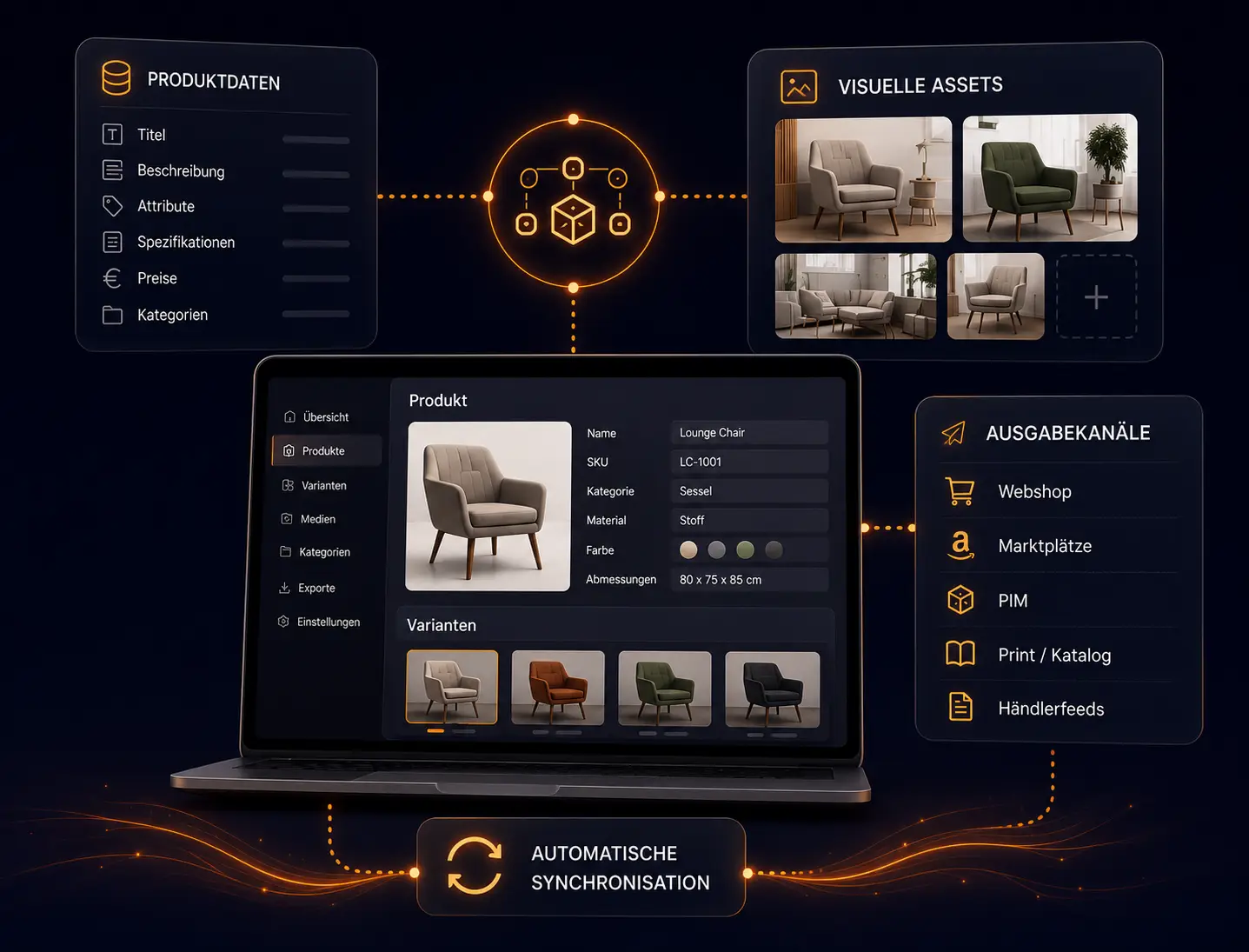
Connect product data and visual assets in one structured workflow. This keeps variants, images and product information consistent at all times.

Link product data and assets
Manage variants centrally
Sync content automatically
Consistent data for shops and PIM
Sales & Retailers
Give every retailer exactly the product assets they need. Export content tailored to each channel and partner in just a few clicks.
Create individual retailer packages
Channel-optimized exports
Up-to-date assets available anytime
Consistent content for all partners

INTEGRATIONS
Connects to your existing systems.
Mazing complements existing PIM, DAM and shop systems as a specialized layer for visual furniture content.

Akeneo

Shopware

Import

Crossbase

Censhare

WooCommerce

CSV Feeds

Pixx.io

Adobe Commerce

Custom Systems

Custom DAMs

Custom Shops

Canto

Shopify

API

Bynder

Export

Retailer Feeds
Akeneo
Crossbase
CSV Feeds
Custom Systems
Canto
Bynder
Censhare
Pixx.io
Custom DAMs
Shopify
Shopware
WooCommerce
Adobe Commerce
Custom Shops
API
Import
Export
Retailer Feeds
FAQ
Frequently Asked Questions

Specific Questions About the AI Platform
● E-Commerce Audit
Bring order to your visual product data.
Using your own products, we show you how creation, approval and distribution come together in one workflow.

Joint analysis of your current workflow.
Individual Proof of Value for your use case.
100% non-binding and tailored to you.
Book a demo
Transform product data
into scalable visual
Commerce.
Join leading furniture manufacturers who have automated their visual
asset production with Mazing.
